
AWS Lightsail is a service that allows you to use a subset of AWS services at a low, fixed monthly cost.
Typically, AWS services are billed on a pay-as-you-go basis unless you purchase Savings Plans or Reserved Instances. In contrast, Lightsail provides a simplified pricing model with predictable, low-cost monthly plans.
This article provides a step-by-step guide to setting up a LAMP environment on AWS Lightsail.
What Is the LAMP Stack?
The LAMP stack is a popular open-source web development platform that consists of Linux, Apache, MySQL (or MariaDB), and PHP. These components work together to provide a complete environment for hosting and running dynamic websites and web applications. Linux serves as the operating system, Apache handles web requests, MySQL or MariaDB stores application data, and PHP processes server-side logic. The LAMP stack is widely used for content management systems such as WordPress and is known for its reliability, flexibility, and strong community support.
What Is AWS Lightsail?
AWS Lightsail is a simplified cloud hosting service designed to make it easy to deploy and manage applications, websites, and virtual servers. It provides a straightforward interface, predictable monthly pricing, and preconfigured blueprints for popular software stacks such as LAMP, WordPress, and Node.js.
Compared to Amazon EC2, Lightsail is easier to set up and manage, making it a good choice for small businesses, personal projects, development environments, and websites that do not require advanced AWS configurations. Lightsail bundles compute resources, storage, and data transfer into fixed-cost plans, which helps simplify budgeting.
Amazon EC2, on the other hand, offers greater flexibility and scalability. EC2 provides a wide range of instance types, advanced networking features, auto scaling capabilities, load balancing, and deep integration with other AWS services. While EC2 is more powerful and customizable, it also requires a higher level of cloud administration knowledge.
Benefits of Building a LAMP Stack on AWS Lightsail
AWS Lightsail offers several advantages for deploying a LAMP stack, especially for small to medium-sized websites and applications.
Easy Setup and Deployment
With the LAMP blueprint, Lightsail provides a preconfigured environment that includes Linux, Apache, MySQL (or MariaDB), and PHP. This allows you to launch a fully functional web server in just a few minutes without manually installing and configuring each component.
Predictable Pricing
Lightsail uses simple, fixed monthly pricing that bundles compute resources, SSD storage, and data transfer into a single plan. This makes it easier to estimate and manage hosting costs compared to Amazon EC2, where charges may vary based on resource usage.
Ideal for PHP Applications
The LAMP stack is widely used for popular PHP-based applications such as WordPress, Drupal, MediaWiki, and Laravel. Lightsail provides a straightforward platform for hosting and managing these applications without requiring extensive cloud infrastructure knowledge.
Simplified Management
Compared to Amazon EC2, Lightsail offers a more user-friendly interface and abstracts many advanced AWS networking and infrastructure features. This allows developers and website owners to focus on their applications rather than cloud administration.
Built-In Backup Options
Lightsail supports snapshots, making it easy to create backups before performing software updates, configuration changes, or application upgrades. This helps reduce the risk of data loss and simplifies disaster recovery.
Suitable for Small and Medium Workloads
Lightsail is well suited for blogs, business websites, learning platforms, portfolios, and other web applications that do not require highly complex cloud architectures. It provides a good balance between performance, simplicity, and cost-effectiveness.
Lightsail vs. EC2
While Amazon EC2 offers greater flexibility, scalability, and advanced AWS integrations, it also requires more configuration and management. Lightsail is designed for users who want to deploy applications quickly with minimal setup.
In general, AWS Lightsail is an excellent choice for users who need a simple, reliable, and cost-effective platform for hosting LAMP-based websites and applications. For larger-scale or highly customized environments, Amazon EC2 may be a better option.
Step 1: Access AWS Lightsail
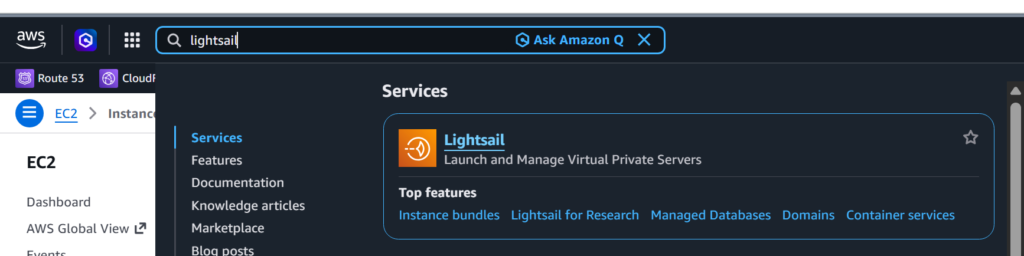
Sign in to the AWS Management Console. Once logged in, type “Lightsail” into the search bar in the upper-left corner of the console and select AWS Lightsail from the search results to open the Lightsail dashboard.
Step 2: Create a Lightsail Instance
In this step, create a new Amazon Lightsail instance that will host your Linux, Apache, and MariaDB (LAM) environment.
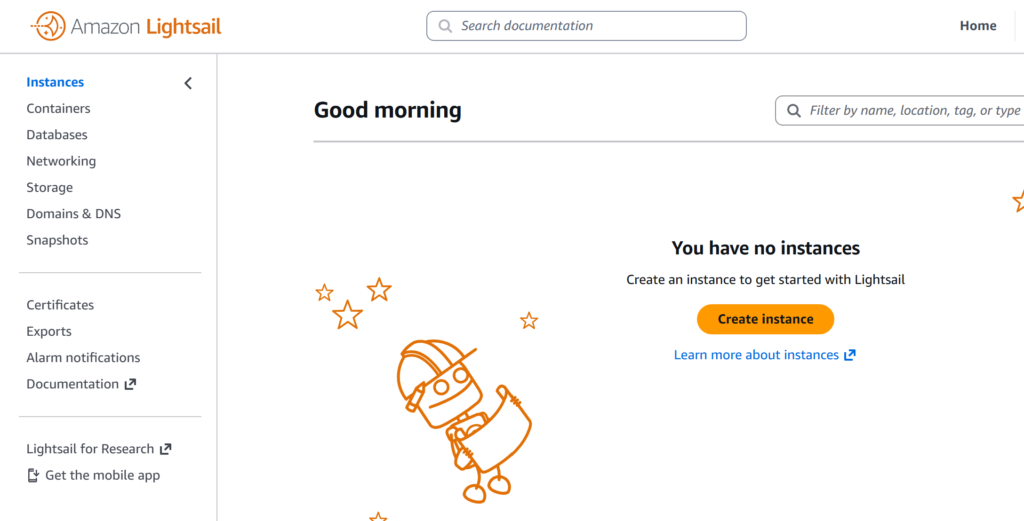
Click the orange “Create Instance” button.
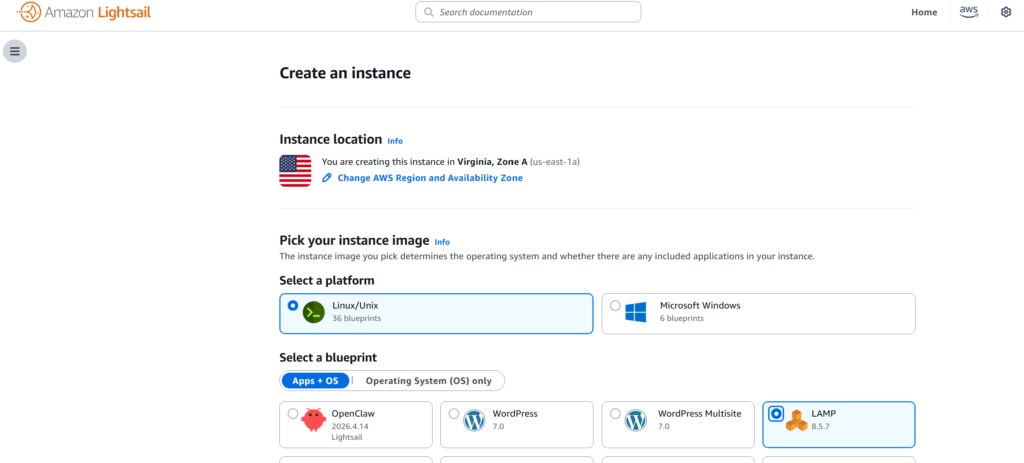
Select “Linux/Unix” under “Select Platform” and “LAMP” under “Select a Blueprint.”
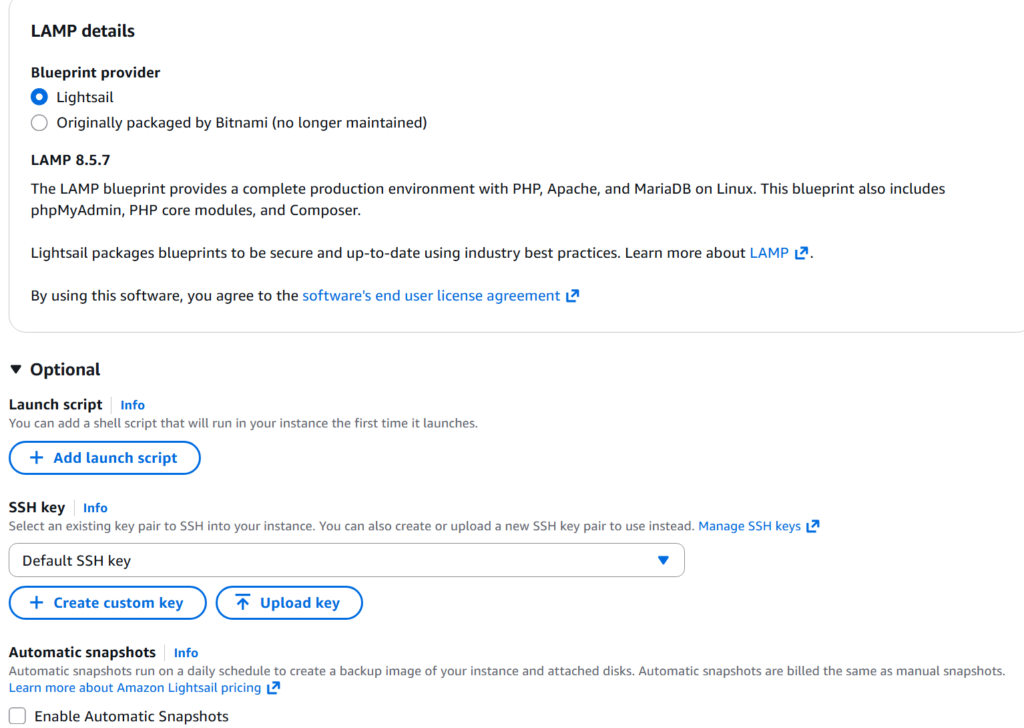
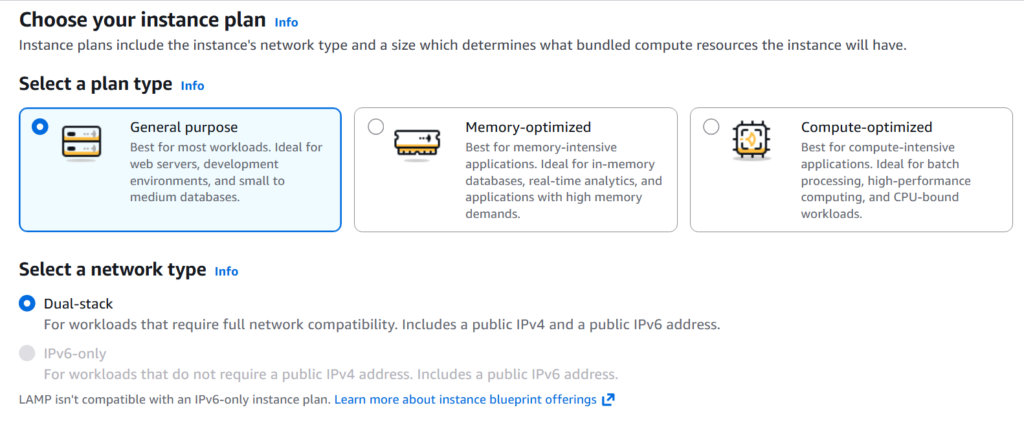
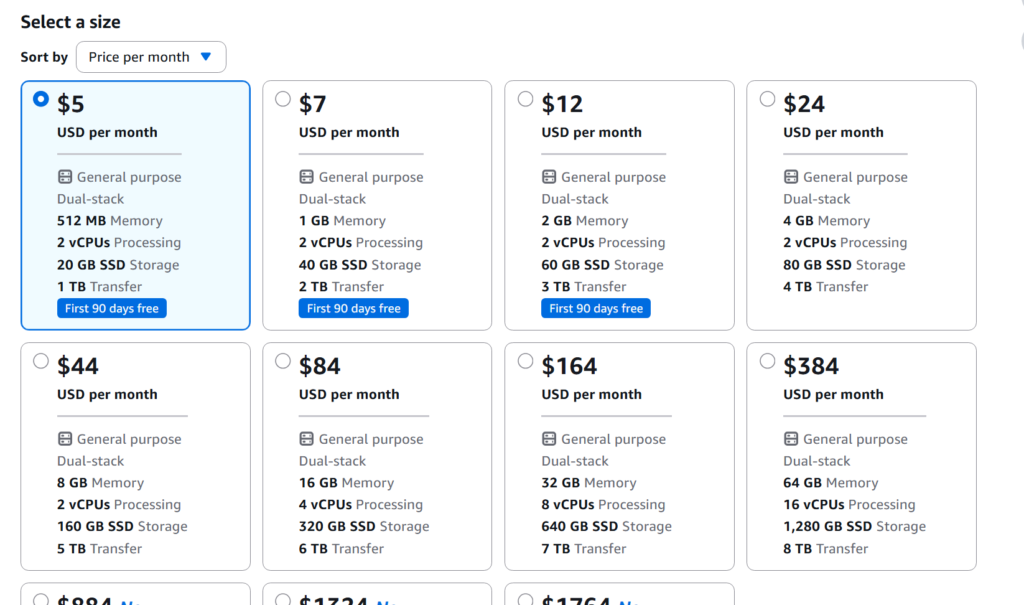
Under “Select Size,” select the instance size based on the CPU, memory, and other resources you need.
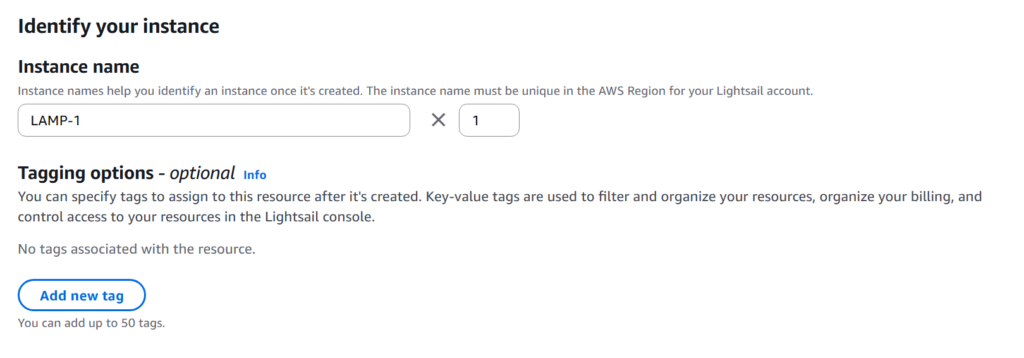
Optionally, enter an Instance Name and add Tags. Once you have done that, click the button to launch the instance.

Related posts:
 How to Set Up a LAMP Stack on AWS EC2 (Step-by-Step Guide)
 AWS Certified Cloud Practitioner Overview
Advantages of Migrating from Hosting Services to Cloud Infrastructure
Our Experience Moving from Shared Hosting to the Cloud (AWS)
Key Considerations When Migrating from a Hosting Service to the Cloud
Migrating from Shared Hosting to AWS or Google Cloud: File and Database Overview
AWS Certified Cloud Practitioner Overview
Advantages of Migrating from Hosting Services to Cloud Infrastructure
Our Experience Moving from Shared Hosting to the Cloud (AWS)
Key Considerations When Migrating from a Hosting Service to the Cloud
Migrating from Shared Hosting to AWS or Google Cloud: File and Database Overview
 Configure Apache’s DocumentRoot
Understanding the LAMP Stack: Essential Components for Web Development
Configure Apache’s DocumentRoot
Understanding the LAMP Stack: Essential Components for Web Development